
Measurement & analysis / Medical imaging
HRM Analyzer
The customer and product names are not disclosed for this project.
OVERVIEW
HRM data loading and statistical analysis software
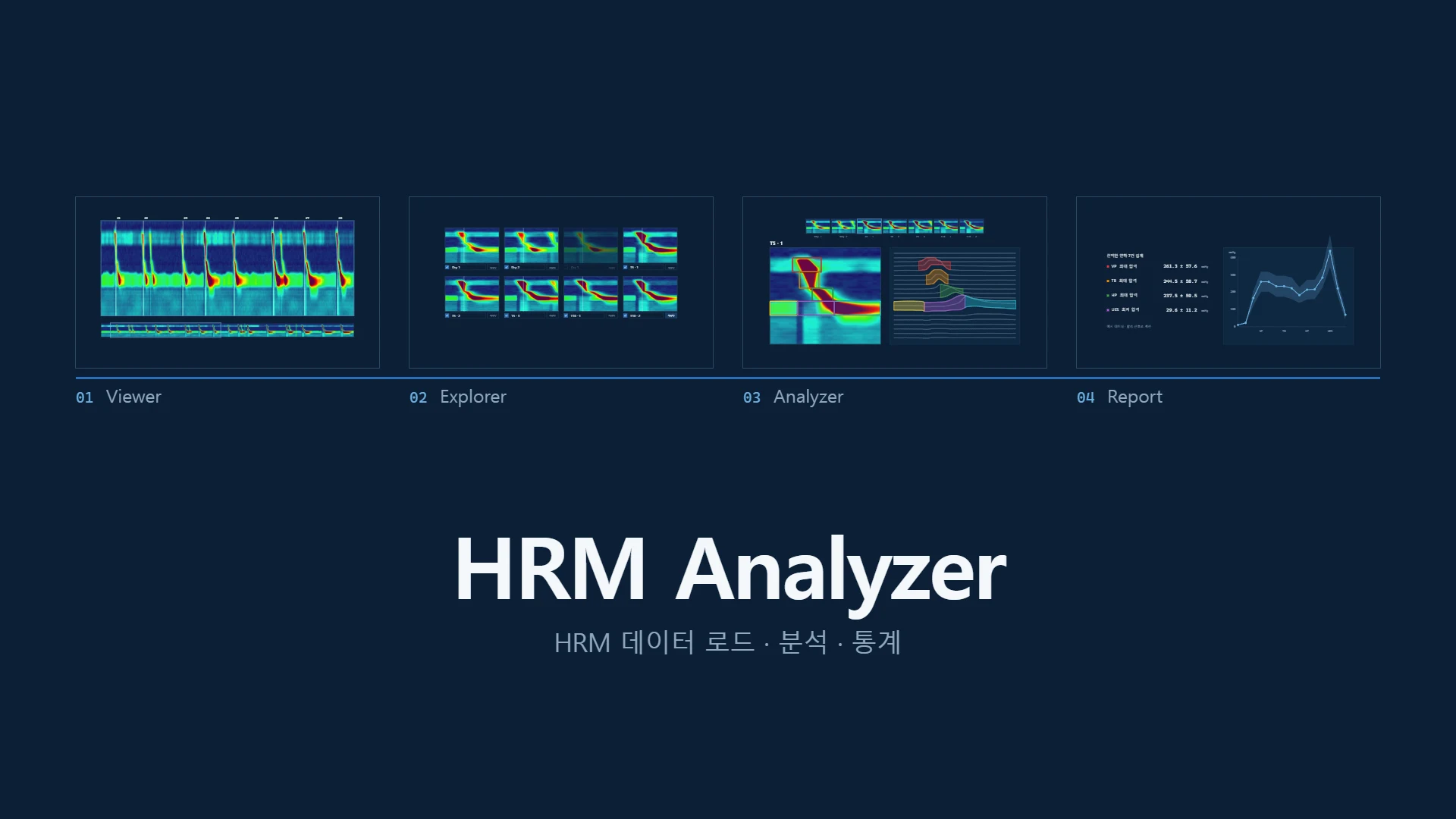
A Windows application that loads HRM pressure data, analyzes it segment by segment, and exports statistical results as reports.
SRH’s scope
Data import, pressure visualization, regional metric calculations and manual adjustments, project storage, PDF and CSV export, and installation packages
CAPABILITIES
Key capabilities
Visualizing medical measurement data
Pressure heatmaps over time and sensor position, individual sensor waveforms, a minimap, and zoom controls. Users can adjust the time interval and sensor range of interest.
Managing swallow segment metadata
Comment lines define individual swallow segments across the recording. Explorer shows all segments together so users can label them and select those to analyze. Confirmed labels are saved with each segment and carried into the analysis view.
Analysis with expert review
Region detection, Auto-Click, and manual correction tools support the analysis workflow. Auto-Click uses a manually processed reference swallow and includes user review and exception handling.
Quantitative metrics and reports
The application calculates peak pressure, duration, cumulative pressure, and UES- and IBP-related metrics by region. Users can review aggregated means, standard deviations, and charts, then export results as PDF or CSV.
Project management and deployment
Supports HRM V1 and V2 input formats and supplementary annotation files. Analysis work can be saved in projects and reopened, with clear feedback when saving, analysis, or export fails. WiX installation packages support Windows installation and upgrades.
PROJECT FACTS
Project specifications
- Workflow
- Viewer → Explorer → Analyzer → Report
- Input formats
- HRM V1 and V2; supplementary annotation files
- Output
- PDF · CSV
- Deployment
- WiX MSI · Burn installation packages
TECHNOLOGY
Technology
BUILD WITH SRH
Custom development
Drawing on our experience building this software, we work with medical device companies, medical research teams, and institutions on analysis software. Data input, specialist visualization and editing tools, domain calculations, reports, project management, and Windows deployment packages are tailored to the customer’s workflow.
- Review requirements and data
- Prototype the interface and analysis
- Implement and verify features
- Support deployment and handover
Tell us about your data formats and the analysis and reporting features you need.
Discuss custom developmentLast updated